
November 21, 2025
Category: Apps
What is AR Zone App? Key Functions, Features and Development Guide
Augmented reality has moved from science fiction to everyday life, often without notice. The AR Zone app, pre installed on many Samsung phones, lets users create camera based interactive content in seconds. Business leaders who want to understand immersive technology can use AR Zone as a practical example of what modern AR offers on consumer devices.
At its core, AR Zone is Samsung’s hub for camera powered augmented reality. It combines tools for AR emojis, 3D drawing, live effects, virtual object placement and space measurement through the camera. Because it relies on the device camera plus sensors, it shows how AR blends into daily habits like messaging, photography and video. AR Zone provides a benchmark for user experience, performance and creative use cases.
What is Augmented Reality Zone App – The Basics
AR Zone is not one feature – it is a set of mini AR apps under one interface. Depending on model but also region, the list includes AR Emoji Camera, AR Doodle, AR Emoji Studio, AR Stickers, Deco Pic, Quick Measure besides AR Masks. Each option uses the camera feed as the background layer and overlays digital content that tracks the user’s face, hands or surroundings in real time.
From a technical view, AR Zone uses Samsung’s camera framework, 3D rendering pipelines, and, where supported, Google’s ARCore. It tracks surfaces, detects faces and estimates motion – locks virtual content to the physical world. Real-time device native performance matters – latency as well as tracking accuracy often outweigh flashy visuals for any Mobile App Development Company planning its own AR product.
Key Functions of the AR Zone App
AR Zone bundles engaging functions that non technical users grasp right away. Names vary slightly by device – yet the main capabilities follow common AR patterns. The AR Emoji Camera lets users build a personal 3D avatar from the face – tracks facial movement to animate the avatar live. It records short videos or photos that work inside chat apps and social media. AR Doodle lets users draw lines in 3D space on top of the camera view. The lines float stick to surfaces or follow faces. The user simply draws – the app maps each touch point to a real world coordinate and stores it in space.
Deco Pic or AR Stickers supply ready made animated stickers, text, masks or filters that drop onto the face or scene while the user records or snaps. The lesson for developers – lightweight overlays often drive major engagement without a full game or complex scene. Quick Measure shows the utilitarian side. It estimates depth, maps surfaces and lets users measure lengths, distances and object sizes through the camera. It will not replace professional tools – yet it shows how AR shortens everyday tasks like checking furniture size or gauging dimensions on site.
Core Features next to User Experience Principles
Beyond individual tools, AR Zone teaches how to design approachable AR. Clear icons also plain names – Doodle, Emoji, Stickers – cut the learning curve. Live previews let users see changes while they move, draw or apply effects – the value of AR appears only when people watch the effect interact with their own space. Performance is critical. Stable frame rates and tight tracking preserve immersion. If virtual content jitters or lags, users lose trust.
AR Zone tunes for specific Samsung hardware and runs on mid range and flagship phones alike. The takeaway – optimize for target hardware next to use efficient rendering when you plan for large user bases. Privacy and control shape the experience. AR relies on camera, depth, and facial data, so users must feel fully secure. AR Zone requests necessary permissions upfront and stores most content locally. Your AR development partner should integrate strong privacy controls from the very beginning—not as an afterthought.
How Augmented Reality Zone Works Under the Hood
Samsung does not publish the full stack – yet the behavior points to computer vision, sensor fusion plus lightweight 3D rendering. On supported devices, ARCore handles plane detection, light estimation and motion tracking through the camera, IMU sensors and depth math. Samsung’s AR layers then place virtual assets in 3D space. Face tracking sits at the center of AR Emoji but also filters. The live feed locates landmarks – eyes, nose, mouth corners, jawline, eyebrows – drives a rigged 3D model so expressions feel responsive. Small optimizations, like smoothing and clamping extreme values, prevent jitter.
For AR Doodle, the app converts screen touches into 3D coordinates anchored in space. While the camera moves, AR Zone maps each touch point to a real world spot, stores the spot and renders the line as if it floats in front of the user. The process relies on steady tracking of camera position as well as orientation. Rendering stays efficient through batched draw calls, low polygon counts, compressed textures and culling of hidden objects. Mobile GPUs face strict power and heat limits – AR Zone uses stylized, simple visuals instead of heavy photoreal assets. The result feels playful yet runs fast.
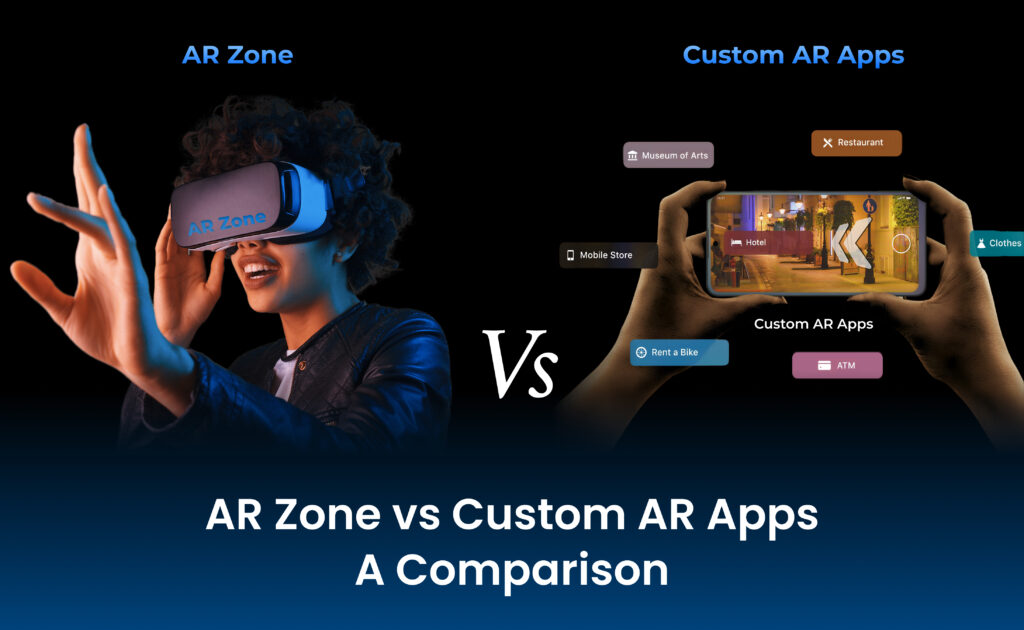
AR Zone vs Custom AR Apps – A Comparison
Many businesses ask whether to rely on built in AR like AR Zone or invest in custom AR development. The two paths serve different goals. AR Zone suits everyday consumer fun – custom solutions let brands embed AR inside their own products, workflows or journeys.
| Aspect | AR Zone App | Custom AR App |
|---|---|---|
| Ownership & Branding | Owned by Samsung, fixed branding besides UX | Fully branded, aligned with product identity |
| Use Cases | Fun, social, camera centric features | Business, training, retail, industry workflows |
| Customization | Minimal configuration, no custom modules | Highly customizable features, integrations, logic |
| Distribution | Pre-installed on select Samsung devices | Available via stores or private enterprise deployment |
| Data & Analytics | Minimal business access | Rich analytics, event tracking, user insights |
| Integration | No direct link to business systems | Links to CRM, ERP, e-commerce, IoT |
| Scalability Across Devices | Limited to supported Samsung phones | Targets iOS, Android, tablets, headsets |
Organizations that want strategic value from AR usually partner with a trusted AI Development Company. Pre-installed tools test user appetite – yet custom AR products unlock measurable business value – from retail try ons to field service help.
Development Guide – Building AR Experiences Inspired by AR Zone
To build an AR app in the spirit of AR Zone, start with a clear objective. State whether the goal is marketing engagement, customer support, internal training or a new product line. A precise goal simplifies every later feature choice. A retailer may focus on virtual product placement – an education brand may need 3D content overlaid on books or objects. Pick the platform and framework. On Android, Google’s ARCore handles motion tracking, environmental understanding and light estimation.
On iOS, ARKit serves the same role. Cross-platform engines like Unity or Unreal manage scene logic, assets also interactions – native SDKs give a lighter footprint. AR partner helps select the stack that fits the roadmap and budget. Design user flows early. AR must never look like a cheap trick tacked on to your program. Show it only when it gives clear help, saves effort or sparks pleasure. Place a three dimensional product preview right on the product page or open step-by-step AR guidance when the user scans a machine label. AR Zone proves that a camera shortcut drives use – copy that pattern with plain entry buttons and timely cues.
Build speed safeguards into the architecture from day one. Keep draw calls low, shrink textures plus model assets for phone limits. Test on cheap phones as well as flagships, because AR widens any speed gap. A solid mobile team sets strict budgets for frame time, memory drain and battery cost – enforces them at every build. Field testing is mandatory. AR software has to survive dim light, mirrors, messy rooms but also sudden motion. Run tests outdoors and in cluttered spaces plus automated checks for key functions. Watching real people try the prototype exposes reach problems, unclear gestures or access issues that a lab never shows.
Advanced Features – Blending AR with AI
AR Zone sticks to visuals as well as simple interaction – the coming wave mixes AR with AI for deeper context and personal fit. Vision models spot products, tools or landmarks in the feed – AR layers show matched info, steps or deals. Language models help too – aim the camera at a gadget, ask how it works besides AR labels appear on the parts. Service techs wearing AR glasses already see AI hints tied to live sensor numbers.
To reach that level you need custom code, backend pipes and links to business records. AI also tunes the scene. By studying clicks, history or tastes, the system reshapes layouts, suggests next moves or shifts lesson difficulty – the overlay feels made for one person, not for everyone. Work with a team that knows both data science and immersive UX to add those powers without risk. Guard data as you go. AI-driven AR handles images, location also behavior – state plainly what you store, process on the phone when you can and let users delete or opt out.
Best Practices for Designing AR Experiences Users Will Keep Using
Study AR Zone to extract rules you can apply. Honor the real world. Overlays must not block the view or hide hazards – they should add notes or hints that fit the scene. Keep text large and sparse on small screens. Onboarding still matters. Many users have never tried AR – show a brief guide – move the phone to find the floor, walk round the object. AR Zone uses short clips next to gentle prompts – copy that style. Plan for short repeatable bursts.
People open AR for seconds, not minutes – launch fast, skip huge downloads and deliver value before the user blinks. Whether the task is to place a chair, snap a fun photo or read a measurement, speed equals success. Refine through numbers. Track which tools people open, how long they stay plus where they leave. A seasoned mobile team folds UX research, metrics and code tweaks into a loop that sharpens the release each cycle.
Why AR Zone Matters for Businesses but also Developers
AR Zone looks like a toy for consumers – yet it teaches big lessons to any firm spending on digital change. It proves that ordinary users adopt AR when it sits inside habits they already know, like taking a selfie or recording a clip. That alone should push brands to test AR in ads, shops, staff tools and support flows. The suite also shows that headsets are optional; using phones already in pockets, firms can ship AR services that scale fast, provided the build runs well on mid range hardware.
Copy the attributes that work in AR Zone – one tap entry, playful visuals, zero friction – fold them into your roadmap. In short AR Zone reminds leaders that augmented reality is not a distant dream – it is a practical toolkit that, paired with solid code, clear UX as well as a plain business goal, improves learning, shopping, talking and working this day.
Conclusion
AR Zone is more than a pre loaded Samsung program – it is a live case of how millions touch augmented reality daily. With AR Emoji, doodles, stickers, masks or quick rulers, it shows that AR can amuse, guide and stay simple. For firms also coders it is a reference sheet – keep the user first, chase speed, guard privacy and tie every feature to a clear job.
Mix those lessons with current AR toolkits and, where useful, AI brains next to you obtain immersive tools that do more than dazzle – they fix real pain and return countable gain. In this field the right partner is critical. A veteran mobile crew that grasps AR, AI plus phone UX turns the spark you saw in AR Zone into a sturdy, branded product that lifts engagement, trims cost or births new revenue.
Why to choose Autviz Solutions
Autviz Solutions houses deep skill in mobile code, augmented reality and artificial intelligence under one roof – firms travel from idea to live product without hand offs. Rather than treat AR as a novelty, Autviz builds scenes that serve a stated business target – raise shopper dwell time, guide field staff or reshape training. As a mobile shop Autviz has shipped work with ARCore, ARKit, Unity, Unreal but also cloud analytics that turn taps into insight.
Clients pick Autviz for its joint method – each project opens with a discovery step that locks down goals, users and phone limits. From there Autviz drafts interfaces that keep AR obvious, writes swift as well as secure backends and loops on real feedback. The outcome is not a shiny demo but a supportable product that grows with your roadmap. If AR Zone inspired you and you want your own immersive tool, Autviz can steer you through proof, prototype, build, test or scale guarding your spend and proving value. Learn more at Autviz Solutions.


.webp)