
September 4, 2026
Category: AI Creatives
AI product photography for Shopify is changing how online stores shoot, edit and scale their visual content. Instead of booking a studio for every new SKU, Shopify merchants are using AI product images ecommerce tools to generate clean pack shots, lifestyle scenes and campaign-ready creatives in a fraction of the time.. This shift matters because product visuals directly affect conversion rate, ad performance and brand consistency — and Shopify product photography workflows built around AI let teams test more creative variations without multiplying photography budgets.
In this guide, we’ll walk through where AI product images genuinely help, how to keep product shape, color and branding accurate, which formats and aspect ratios you need across channels, how to set up review and approval workflows, what usage rights actually cover, and how to turn all of this into a repeatable pipeline your team can run every week.
What Is AI Product Photography for Shopify?
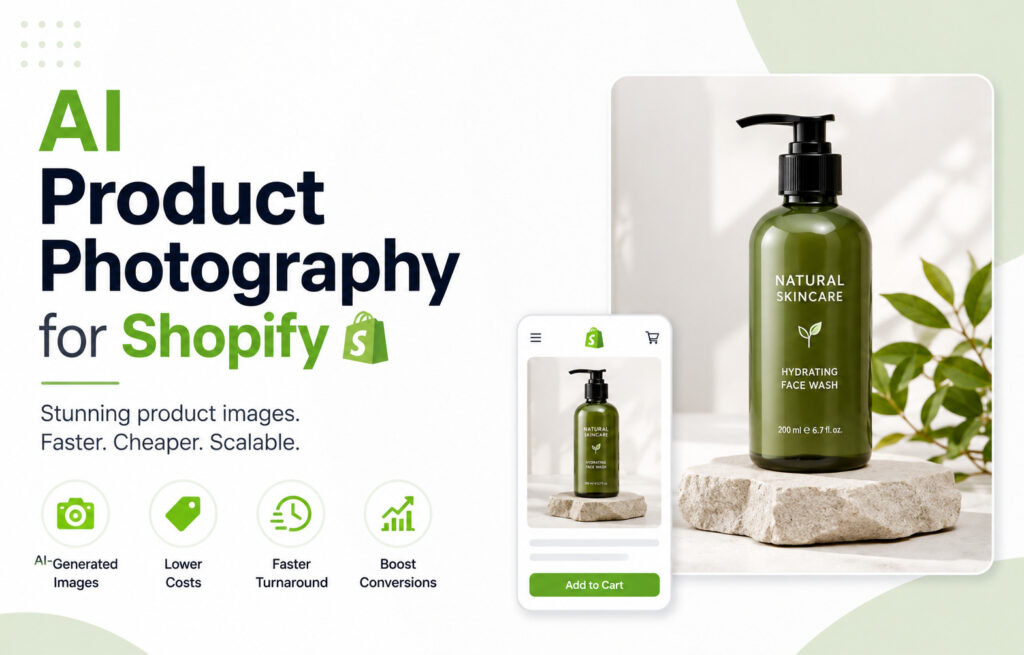
AI product photography for Shopify uses generative models to create or enhance product visuals — packshots on white backgrounds, styled lifestyle shots, seasonal campaign scenes, and ad-ready creatives — from a small set of reference photos or 3D assets. Rather than replacing photography entirely, most Shopify brands use it to extend a single product shoot into dozens of usable images across the storefront, paid ads and social channels.
When AI Product Photography for Shopify Is Useful for an Ecommerce Store
AI product images ecommerce workflows tend to earn their place in a few specific scenarios:
- Packshots: Clean, consistent white or brand-colored background shots for product pages, generated at scale once you have one reference angle per SKU.
- Lifestyle scenes: AI lifestyle product images place your product in realistic settings — a kitchen counter, an outdoor scene, a styled flat lay — without a physical shoot for every context.
- Campaign variations: Swap backgrounds, seasons, colors or props to produce multiple creative directions from one core asset, useful for testing which visual style converts best.
- Product-page images: Detail shots, angle variations and in-use imagery that give shoppers confidence without a full re-shoot per variant or colorway.
- Ads: Fast iteration for Meta, Google and TikTok ad creatives, where you often need dozens of variations to find a winning hook.
- Social media creatives: On-brand, platform-sized posts and stories generated in batches to keep a content calendar full without a dedicated photo team.
Getting Product Shape, Color, Branding and Accuracy Right with AI Product Photography for Shopify
The biggest risk with AI product photography for Shopify is inaccuracy — a distorted silhouette, a shifted color, or a logo that renders incorrectly. Reliable pipelines address this by:
- Using high-resolution, multi-angle reference images so the model has enough information to preserve true product shape.
- Locking color values against your brand palette and checking generated images under different lighting conditions.
- Keeping logos, labels and packaging text as fixed elements rather than letting the model regenerate them freely.
- Running a side-by-side accuracy check against the physical product before anything goes live on the storefront.
This is where working with a dedicated AI creative services team helps — accuracy checks, color calibration and brand-consistency rules are built into the process rather than handled ad hoc.
Aspect Ratios and Formats for AI Product Photography for Shopify
For Shopify’s current product-media requirements and supported media formats, see the official Shopify product media documentation.A repeatable AI product photography for Shopify workflow should generate every image in the formats your channels actually need:
- Shopify product pages: Square (1:1) and portrait (4:5) formats for primary and gallery images.
- Paid social ads: Square, 4:5 feed formats and 9:16 for Stories and Reels.
- Google Shopping/PMax: Square, high-resolution packshots with minimal background clutter.
- Email and banners: Wide formats (16:9 or custom banner sizes) for hero sections.
Generating once and exporting in every required ratio — rather than re-briefing a shoot per channel — is one of the clearest efficiency gains AI product images ecommerce tools offer.
Review and Approval Workflows
Because AI-generated images can drift from the source product, a review step is non-negotiable. A practical workflow looks like:
- 1. Generate a batch of candidate images against a brief (background, angle, mood, format).
- 2. A reviewer checks shape, color and branding accuracy against the physical product.
- 3. Approved images are tagged and pushed to Shopify, ad platforms or social scheduling tools.
- 4. Rejected images are flagged with notes so the next generation pass corrects the issue.
Building this checkpoint into your pipeline — rather than publishing AI output directly — is what keeps Shopify product photography looking professional at scale.
Usage Rights for AI-Generated Product Images
Before rolling AI product images into paid campaigns, confirm the usage rights attached to the tool or service you’re using — specifically whether generated images are owned outright, licensed for commercial ad use, and cleared for the regions and platforms you plan to run on. Since your product itself is the core asset in every image, most reputable AI creative providers grant full commercial usage rights on outputs generated from your own product references, but this should always be confirmed in writing before a campaign launch.
Building a Repeatable AI Creative Pipeline
A one-off batch of AI images is useful; a repeatable pipeline is what actually saves time month after month. That typically means:
- 1. A standard reference-photo checklist for every new SKU.
- 2. A library of approved backgrounds, lifestyle scenes and campaign themes.
- 3. Templated formats and aspect ratios mapped to each channel.
- 4. A review workflow with clear accuracy and brand checks.
- 5. Connections into your storefront and ad accounts so approved images publish automatically.
Many Shopify brands pair this with broader AI automation for ecommerce, so new product images flow directly into listings, ad accounts and marketing tools without manual uploads. If your store itself needs work alongside your creative pipeline, our Shopify store development team can help build the storefront to match.
See It in Action
Want to see what AI product photography for Shopify actually looks like before committing? Browse our product-image samples to compare packshots, lifestyle scenes and ad creatives generated for real ecommerce brands.
Ready to build your own AI creative pipeline?
Autviz AI Creative Studio helps Shopify brands turn a single product shoot into packshots, lifestyle scenes, campaign variations and ad-ready creatives — with accuracy checks and brand rules built in. Talk to our AI creative services team to get started.


.webp)