
September 7, 2026
Category: Apps
The creation of offline first mobile app development that function without an active internet connection is now a strategic advantage for businesses in areas with poor network coverage. If workers perform tasks in warehouses, factories, rural areas or underground, they require mobile apps without internet to remain functional when signals fail. In this approach, developers treat the network as an optional improvement rather than a necessity. The design of data models, user movements and infrastructure changes because of this shift.
It is necessary to evaluate how this method fits into a digital plan before selecting specific techniques. Not every application requires those features. The implementation of a full offline mobile app architecture increases technical difficulty and maintenance needs. If a team plans a new product, the team should review the mobile app development services plan to determine how often users lack connectivity.
The first step is a choice between a complex offline-first app development system and a basic “retry when online” model. If an application only provides text, like a news application, and users can wait for loading, an offline app design is unnecessary—but if the application is essential for work tasks, a lack of connection causes lost money or safety problems. CRM tools for sales, inspection lists or logistics tools must function when a vehicle enters an area without a signal. In these situations, a lack of offline features leads to disorganized operations and manual data entries that workers must fix later.
The architecture for offline mobile app architecture differs from standard systems because the mobile device is a primary storage location rather than a temporary cache. Users create or change data while they are offline. The backend system must resolve those changes with data from other sources later. As a result, developers design flows for sync mobile app data instead of simple request and response cycles. There are “queued operations” for writes and “locally served” for reads. The server becomes the final record over time.
The main technical component for this development is a durable local storage system. For simple tasks, tools like SQLite, Room, Core Data or Realm are sufficient. For complex work involving many users, a local database needs features to track changes and detect conflicts. To achieve this, frameworks for event sourcing or logs are helpful. The objective is to record what changed and the sequence of the changes so the system can apply them when the connection returns.
But local storage only solves one part of the problem—the effectiveness of the system depends on queues and synchronization. Each time a user performs an action, the application saves that operation in an offline queue. Examples include creating or deleting records. The application gives each operation a time and an ID, then applies it locally so the interface updates immediately. When the network is available, the application sends those operations to the server in a set order and manages any errors.
A technician who performs site inspections often lacks internet access. As the technician logs problems or photos, the device stores the actions. The technician can finish the work and create a report for a client without a connection. On returning to a covered area, the application synchronizes data in the background. With an offline app design, the application “always works” from the perspective of the user.
Synchronization creates a question about which data is correct. A simple approach assumes the server is always correct—but an offline first mobile app development recognizes that a device might have more recent information than the backend. A sales representative might change a price during a meeting. No other person knows about this change until the device connects to the network. The architecture must manage the differences.
Conflict resolution is a central part of the offline-first app development design—two workers might edit the same record while they are offline in different locations. A system might use the most recent time to decide which change is kept, but this is often inaccurate for business needs. A better architecture merges specific data fields or asks the user to review the conflict. The application might show “Your version vs Server version” so a supervisor can choose the correct data.
There is a way to lower conflicts—using append-only actions. If the system records changes as a history of events rather than overwriting old data, fewer problems occur. Notes or status updates are easy to merge. Only a few fields, like financial totals, need careful management. An offline app design is most effective when data models limit the ability to overwrite information.
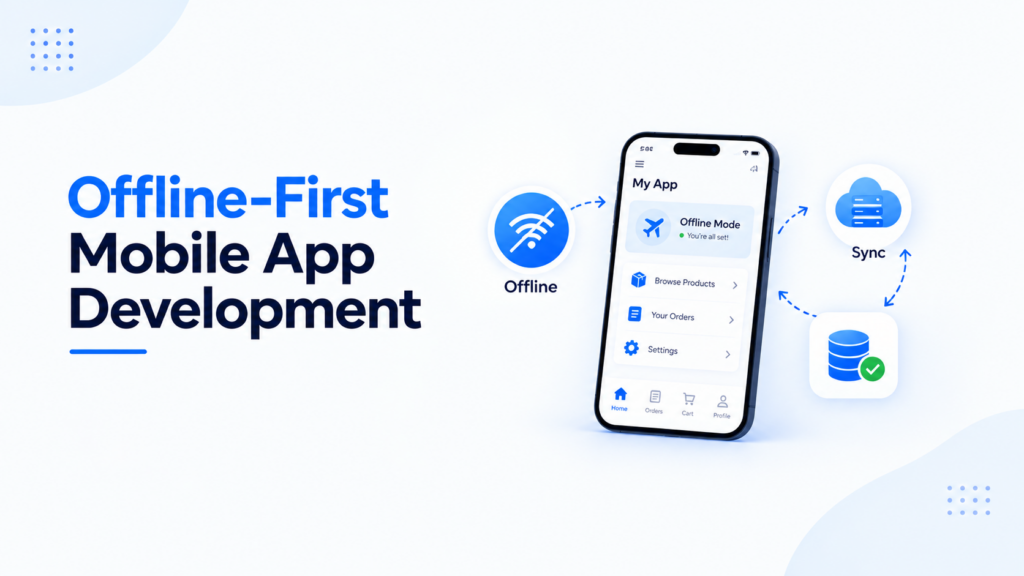
Offline-first app development also changes how developers design the experience for users. Many teams do not realize how much work is required to make an application feel reliable without internet. If users are confused by the status of their data, they might enter information twice or avoid the application. A good offline first mobile app development design makes the network status visible. It might show a banner like “Working offline, changes will sync automatically” and a small icon to show the number of pending updates.
The interface should show if a user can continue working and what happens to their changes—this requires screens that work without a network and clear indicators for synchronization. Instead of an error message, the application shows the time of the last update and allows the user to use local data. If a user submits a form, the application explains that the system queued the form and will send it later.
Many applications use local caching but do not treat it as a formal agreement with the user. In an offline-first app development, this agreement is clear. If a user sees data while they are online, they can expect to see that same data when they are offline. If a feature requires a connection, the interface must state this clearly. As an example, a price check might have the label “Requires connection” while the rest of the order process works offline.
The choice to build an offline mobile app architecture depends on business results. There is a cost to delays and errors caused by a lack of connection. In industries like energy, construction or healthcare, work often happens in remote areas. In those cases, offline first mobile app development features increase revenue—those features also allow a business to enter new markets where mobile data is expensive. For entertainment applications, the features are usually not worth the extra work.
It is helpful to compare offline first mobile app development with traditional online systems. Both can exist in one company but they have different trade-offs. In an online application, the server validates most actions immediately. The logic lives on the backend. In an offline mobile app architecture, more logic exists on the mobile device. Rules for validation and business policies must run locally so the user can work without the server.
The table below shows the differences between those two architectures.
| Aspect | Online first Architecture | Offline first Architecture |
|---|---|---|
| Network Assumption | The connection is stable and always available | The connection is unreliable or expensive |
| Primary Data Store | There is a central backend database | There is a local database with eventual sync |
| UX During Outages | There are errors or blocking spinners | Core tasks work with queued operations |
| Complexity Location | The complexity is mostly on the backend | The complexity is split between the device and backend |
| Conflict Handling | This is rarely needed | This is a critical part of the system |
| Ideal Use Cases | Streaming or real time social feeds | Field work, inspections or rural operations |
The team can choose technologies that fit their needs once the trade-offs are clear. The amount of required structure and the complexity of search queries are important factors for local storage. In simple environments, small tools that store keys and values are suitable but full databases that organize related data are better for tasks involving sorting or filtering. It is sometimes useful to sync small parts of data for specific roles or locations to keep the size of the database small on old hardware—this practice has a direct effect on the speed of the device and the life of the battery.
Sync mobile app data engines are the central parts of mobile apps without internet that function without a connection. They manage the start of data transfers, the amount of data usage and the handling of errors. The rules of a mobile operating system often limit how an app performs background tasks. Because of those limits, you must use methods like grouping tasks together or setting priorities for different actions. High priority tasks, like important safety updates or money approvals, sync as soon as a network is available. In contrast, low priority records for data analysis wait for a wireless connection or a set time—those clear rules make the system behave in a way that you can predict.
On the server side, you often change the way programs talk to each other to support offline app design functions. You might stop using simple requests for the current state and instead use specific instructions for each action. The server can accept “patches” or specific commands like “add line item,” “change quantity,” or “attach document.” This change makes it easier to find conflicts and creates a detailed history of how data changed. You can use version numbers or vector clocks to see if a mobile user is sending updates based on old information.
Security is a high priority when you use an offline-first app development approach. There are standard tools to protect data when it stays on a server. As soon as data moves to a mobile device, there is a risk that the device is lost or accessed by unauthorized users. You are required to encrypt stored data and use secure storage for passwords and tokens. It is important to decide which data is necessary for offline use. You can hide certain high risk details or require extra login steps before showing them without a connection. For additional mobile security guidance, developers can refer to the OWASP Mobile Application Security resources.
The rules for audit trails and data locations are strict in certain industries. Developing offline-first app development requires you to keep logs of actions but the origin of the logs changes. You can record events on the device and upload them in groups when the network is available. If you operate in different regions with different laws, the app must know which data it can legally store on a device.
Product teams must also consider how to manage rules when an app is offline for a long time. There is a challenge in enforcing new business policies or stopping access when the app does not talk to the server. One method is to include rules in a signed file that stops working after a certain time. The app is required to update those files when it is online. If it cannot update, it might limit what the user can do as the configuration becomes old.
Testing is a significant part of the offline first mobile app development process that workers often ignore. To simulate a network loss, you can do more than just turn on airplane mode. There are real conditions like slow speeds, lost data packets and failing connections. Your plan should include specific tests, like sending a form while the network stops or changing the same data on two different devices. Logs on the device and screens that show the status of the sync are useful tools to check how the system works.
Automated tests can find problems in data flows—using fake servers that act poorly—those servers might return old data or show errors. You can also use small tests for the list of offline tasks and the logic for retrying actions. It is necessary to test rare situations like when a user deletes and reinstalls the app or changes the clock on the device—those events can cause data errors if the system depends too much on local times.
The design of the user interface is about making a reliable experience during times of uncertainty. There are specific icons and clear text that help build trust with the person using the app. Collaboration between the builders and the design teams is necessary because many choices are about how the person feels rather than just technical facts. It is better to be transparent—showing what the app is doing with the data.
An offline-first app development strategy can also connect with the rest of your software tools. Large companies have systems for customer records and data analysis that share information. If the mobile app is the main place where data starts, its sync rules affect the accuracy of all other systems. Many groups combine offline first mobile app development with efforts to modernize all their software—this ensures that data moves correctly through the whole system.
In many ways, this approach is a way of thinking about resilience. It begins with the idea that the user might not have a perfect network. When you accept this, your methods for building and testing become stronger. The app is a reliable tool rather than a source of annoyance—this method allows workers to do their jobs without worrying about their connection to the internet.
Building a Reliable Offline-First System
Building an offline first mobile app development system requires you to make choices about how to fix data conflicts and who owns the data. You must test scenarios for being offline, reconnecting and failing. When the efforts are combined with good design, the user experience is stable even when networks are not. If you are updating your software, it is useful to look at how all your tools work together. Including this way of thinking in your development ensures that data moves well and that your organization has tools ready for the field.
Explore more insights at Autviz Solutions.


.webp)