
September 8, 2026
Category: AI Development
The portal is a protected website that links users, information but also software. There are many instances where companies choose this path because standard software does not fit their specific rules or technical needs. The development of a unique custom business portal allows you to establish exact paths for data and automated tasks while the system stays adjustable for future growth. If you plan to change your operations, you can explore how the tools fit your technology plans through custom software development services.
The experts at our firm are available to help you plan your portal to this day. https://www.autviz.com/contact-us/
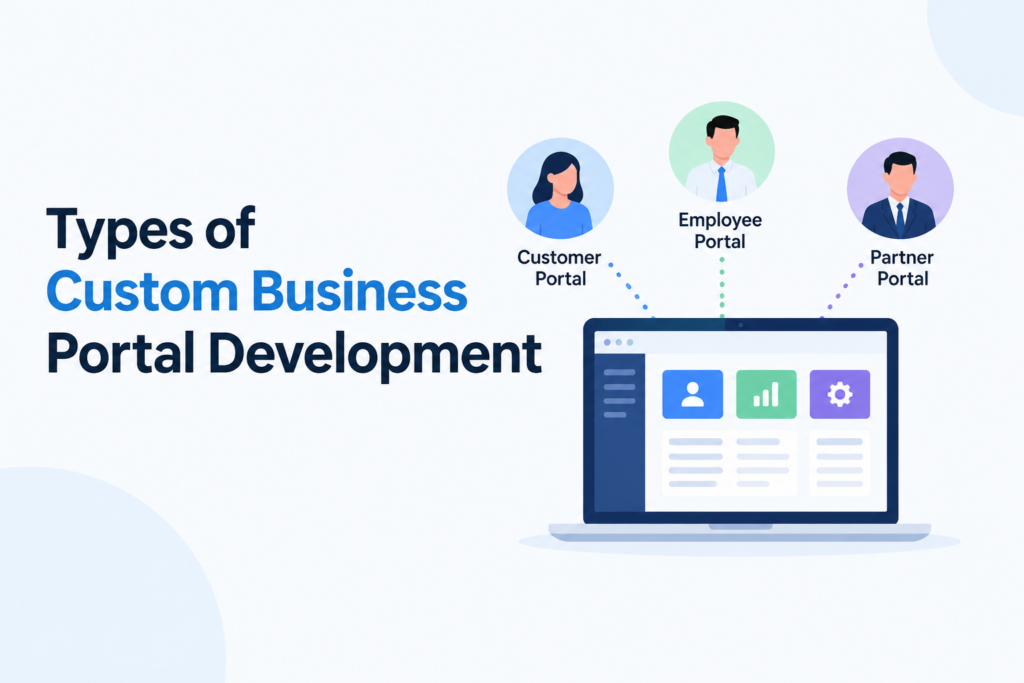
Types of Custom Business Portal Development
There are three main types of portals where specialized development provides high value – customer portal development, partner portal software as well as employee portal development. Each type addresses different task obstacles but they all aim to remove difficulties and provide a single source for accurate information. To help clients developers focus on self service tools that allow buyers to view orders, bills or files without speaking to your staff. The presence of a client portal leads to fewer support requests and faster results because information is available at any time.
By contrast, partner portal software serves resellers, suppliers or franchisees who work with your firm – those users require access to prices, marketing files, leads next to sales registration steps. A specialized partner portal software can include your exact rules for sales channels and money models that standard tools cannot handle. Through a clear shared site, you can finish the onboarding of associates faster plus understand sales performance across your network.
Employee portal development aims to help internal users work faster and use email less frequently. It includes areas for human resources, information databases, technical support requests but also project tasks. On top of your existing identity systems, the portal acts as the main entry point for your digital office. Instead of using many different applications, staff members sign in once to see a dashboard that contains their necessary tools.
Role-Based Access in Custom Business Portal Development
But regardless of who uses the site, roles and specific permissions are the foundation of this development. The system limits access so that each user only sees as well as changes data that relates to their specific job. Administrators set up groups and specific rights for every module or piece of data. Because of this security, users can also adjust their dashboards and alerts based on what they do. To illustrate a sales manager sees data about deals next to alerts, while a support worker sees active help requests.
Dashboards in Custom Business Portal Development
The dashboards are the most visible parts of the interface for a user. In customer portal development, buyers see recent purchases and help requests in one view. With partner portal software, partners track leads plus training progress. Employee portal development users see their current tasks and company news – those dashboards are not just visual displays – they are surfaces for making choices that pull data from many systems to help a specific user take action.
Key Features of Custom Business Portal Development
Under the surface, specific functions determine how useful your custom business portal development is for the firm. In many cases the management of documents is a primary feature. There is a need for protected areas where users upload, share but also sign files. For clients this involves contracts and reports – for associates, it involves sales kits – for staff, it involves policies as well as templates – those systems include tools for searching, tagging and tracking different versions of a file.
The automation of approvals or workflows is another important part. Many firms use specialized development to change manual paper steps into digital ones for quotes or hiring. Within the portal, you can build steps with logic and automatic reminders – those who approve requests act from their dashboards while those who make requests see the current status. Over time data shows where delays happen so you can improve the steps.
By using messaging tools, users stay linked without using only email. Employee portal development might include chat next to comments on specific tasks. Customer portal development and partner portal software support protected messages between managers plus external users. The goal is to keep discussions next to the relevant records inside the software.
To manage work the portal provides a single view of what users must finish and when. Tasks come from workflows, client requests or internal projects. Users change their progress but also upload finished work inside the specific task. Managers see a clear summary of deadlines and work amounts across departments.
Integrations with Existing Systems
To be useful the portal must connect to your existing software. In customer portal development, a connection to the CRM is necessary so buyers see their account history. The portal pulls data about products as well as prices from the ERP system. For firms with subscriptions, payment tools must link so buyers can pay or download tax files.
Partner portal software requires links to the CRM for leads and to training platforms for certifications. Employee portal development links to human resource systems or project management tools. The portal becomes more effective as the links become more seamless.
It is common for firms to link data warehouses to their custom business portal development – this allows for specific reports that use many data sources. As an example leaders see broad company data while associates see only their own targets. In this development, you can put reports directly into the portal so users do not have to learn other tools. If you show reports in a web browser, ensure your Web App Development can handle the amount of data.
User Experience and Mobile Design
The design of the user experience is also a factor in success. Because those sites hold complex data, they must be easy to use. The layout and navigation should be the same across all types of portals. Users must understand where to click next to how to finish tasks without long training. Mobile design is also necessary because many staff and associates use phones to see the portal.
Security in Custom Business Portal Development
The security of the system is a requirement that cannot be changed. The portal gathers sensitive data in one place, which makes it a target for attacks. For practical guidance on authentication and secure access controls, organizations can refer to the OWASP Authentication Cheat Sheet. The architecture must incorporate encrypted data in transit plus at rest, secure session management and rigorous logging. In regulated industries, frameworks like GDPR, HIPAA, SOC 2 or PCI DSS are factors that dictate architecture but also access patterns. secure custom portal solutions is a method for organizations to apply security designs that match specific risk profiles – those designs are able to include IP whitelisting, device checks and granular data masking.
Scalability and Performance
Scalability as well as performance are qualities that are necessary as usage increases. It is a fact that a portal with slow response times or instability causes users to stop using the system. To architect for scale, technical teams choose infrastructure like cloud native, containerized or serverless systems. They also implement caching, optimize database queries and plan for high traffic during product launches or seasonal peaks. Horizontal scaling or stateless services are standard strategies that keep performance levels steady when user counts and data volumes increase.
Custom vs. Off-the-Shelf Portal Solutions
| Dimension | Custom Business Portal Development | Off-the-Shelf Portal Tools |
|---|---|---|
| Fit to workflows | The portal matches specific processes exactly | Users must change processes to match the tool |
| Integrations | Integrations are deep and specific to the existing stack | Options are limited to prebuilt connectors & APIs |
| Upfront cost | The initial investment is higher | The initial license or subscription cost is lower |
| Long term TCO | Costs are lower if usage plus evolution are high | Costs increase because of user counts and add ons |
| Flexibility | The system is easy to extend but also customize | The vendor roadmap restricts changes |
| Ownership | The organization controls all code and data | The vendor controls how the platform evolves |
| Differentiation | The system provides a unique market advantage | Capabilities are the same as those of competitors |
The ability to align a portal with actual workflows, data structures as well as branding makes the tailored business portal solutions option a more frequent choice for mid sized and enterprise organizations.
Custom Business Portal Development Roadmap
A clear development roadmap is a requirement for delivery – the process begins with discovery or requirements gathering. In this phase stakeholders from customer service, sales, operations, HR, IT and partner management define objectives, user roles next to features. They also review existing systems, data models and integration options. The result is a prioritized backlog plus a scope for a minimum viable product that provides business value.
Solution design and architecture follow this phase – technical teams define the system architecture, technology stack, integration strategies but also security model. There are UX & UI designers who create wireframes and mockups to show navigation flows as well as dashboards for each user type. Implementation begins after stakeholder approval and occurs in iterative cycles. Role management or core dashboards are the first features built so that stakeholders can test the system and provide feedback.
Testing next to hardening are necessary steps before the launch – QA teams check functionality, integrations and failure scenarios. Security plus performance tests ensure the portal is able to handle real world traffic and digital attacks. In a parallel process, customers, partners or employees act as pilot users in a controlled rollout. They provide feedback on usability but also process alignment – this input allows for refinements before the general release. There is a continuous cycle of monitoring and enhancement after the launch as usage grows.
Cost of Custom Business Portal Development
Cost is a primary factor in planning a tailored business portal solution. The scope as well as complexity of features are the main influences on the budget. It is true that basic self service portals with few workflows cost less than large systems with deep CRM, ERP and billing integrations. The number of user roles or the presence of complex approval engines also increase costs.
Technology choices are also significant – cloud-native architectures that use managed services lower manual management but may lead to higher usage fees. Integration tasks are often the largest cost drivers when legacy systems do not have modern APIs. Security and compliance requirements increase both development next to audit expenses. The total cost of ownership also includes UX design, change management, training and support.
In practical terms, businesses should plan for an MVP phase followed by small improvements – this method reduces risk plus provides value to users more quickly. A team with experience in portals and custom business portal development helps to define a realistic MVP but also an architecture that allows for future growth.
Implementation Challenges
There are challenges in the implementation of portals – requirements often increase as departments request various solutions, which leads to delays. Data quality problems in existing systems become visible to users and cause frustration. There is often resistance to change because employees prefer familiar tools like email. To prevent the issues, organizations invest in stakeholder alignment as well as clear governance.
Benefits of Custom Business Portal Development
The practical benefits are significant – customer portal development reduces the workload for support teams and enables self service payments. Partner portal software allows for growth – providing visibility into shared performance data. Employee portal development removes repetitive tasks or centralizes communication. The result is a unified portal strategy that creates a consistent digital operating system.
Conclusion
As businesses digitize, custom business portal development offers a way to organize employees, processes and data. It prevents work from fragmenting across disconnected tools next to email threads. The portal aligns stakeholders around shared workflows and information. It is a tool that supports better decisions plus consistent experiences for customers and employees.
If you are investigating how a portal can streamline operations, a specialized software development company USA provides a path to success. Expert guidance helps avoid errors during strategy, design but also integration.
.
Explore more insights at Autviz Solutions.


.webp)